For teams without animators, the explainer video software that fits is script- or template-driven: AI Studios and Synthesia for presenter-led scripts, Powtoon and Canva for templates, Vyond only when characters must act out a scenario.
How we compared
Explainer video software only earns its keep if a marketer or trainer can finish a video on a Tuesday afternoon, alone. That ruled out anything assuming a keyframe timeline, a rigging workflow or a hired animator.
Six axes decided the order:
- Operator skill — script-and-render, template editing, or real animation work
- Free-tier output — resolution, watermark, length cap
- Length ceiling — the longest single video a plan allows
- Cost in a comparable unit — per finished minute, per video, or per seat
- Voice and language coverage — for dubbing and localized versions
- What breaks at scale — export caps, credit refills, seat sprawl
According to Wyzowl data cited by HubSpot, 37% of marketers say they haven’t started with video because they don’t know where to start, and 26% cite lack of time. Your tool choice is mostly a bet on which of those two problems you actually have.
What was checked: each vendor’s public pricing page and help-center documentation, and the plan limits they publish there. What was not checked: render speed, support response times, whether a template library matches your brand palette, or any negotiated enterprise quote. Nothing here was hands-on tested, so read every limit as the vendor’s published claim rather than a measured result. If the format itself is still fuzzy, a short primer on explainer formats and lengths is worth reading before you compare plans.
| Tool | Who it fits | Free tier, as published | Length ceiling | Cost unit to compare | Skip it if |
|---|---|---|---|---|---|
| AI Studios | Script-to-presenter video | $0: 3 videos, 1 min each, 720p | 30 min per video on Personal | $24/mo billed annually, unlimited videos | You need characters acting |
| Synthesia | Avatar video with a free test | $0 Basic: 500 credits, 10 minutes | Credit-based | $29/mo for 1,250 credits (~12 min) | Your monthly minutes keep growing |
| Powtoon | Animated templates, no drawing | 3-min cap, 720p, watermark | 30 min Advanced, 20 min Professional | Lite: 5 brand-free exports/month | You export many videos monthly |
| Vyond | Character scenarios for training | Not published in our sources | Not published in our sources | Prices raised May 7, 2025 | You wanted the Essential tier |
| Canva | Teams already designing there | Check Canva’s own plan page | Check Canva’s own plan page | Check Canva’s own plan page | You need branching scenarios |
| Camtasia | Software demos from recordings | Check the vendor’s plan page | Check the vendor’s plan page | Check the vendor’s plan page | You need a presenter on camera |
1. DeepBrain AI Studios
AI Studios is DeepBrain AI’s cloud-based platform for AI avatar videos, text-to-video content and video translations. Avatar creation, text-to-video, dubbing, text-to-speech and generative AI tools sit in one workspace, which matters when the alternative is stitching three subscriptions together.
The Free plan costs $0 and allows up to 3 AI videos of up to 1 minute each, exported in 720p with 16 one-time generative credits, according to the AI Studios pricing page. The Personal plan is listed at $24 per month when billed annually and includes unlimited AI videos up to 30 minutes each, 1080p export, 3 custom avatars, 120 minutes of AI dubbing per month and 60 generative credits per month. Unlimited videos change the math: your cost per finished minute keeps falling as you publish, while credit plans charge again for every minute.
Localization is the other reason teams look here. The pricing page lists more than 1,000 AI voices, text-to-speech in 150+ languages and accents on paid plans and 30+ languages on Free, plus voice cloning from a short recording. Stock avatars are counted separately: 40+ on Free, 100+ on Personal, 155+ on Team and Enterprise. You can see the full plan breakdown on DeepBrain AI’s AI Studios workspace.
The real limit is the format. A presenter reading your script cannot show a cartoon warehouse worker skipping a safety step, so scenario-based training still belongs in Vyond or Powtoon. The Free plan’s three one-minute 720p videos also work as a demo, not as a full pilot.
Fits you if: you publish product, onboarding or announcement videos and want the same script in several languages.
Skip it if: your storyboard depends on characters performing an action rather than explaining one.
2. Synthesia
Synthesia occupies the same lane: paste a script, choose an avatar, render, publish. The appeal for a two-person marketing team is that nobody has to appear on camera or book a studio.
Synthesia’s free Basic plan gives $0 per month with 500 credits and a 10-minute allowance of video creation or dubbing, according to Synthesia’s pricing page. That allowance is enough to test whether your audience accepts an avatar presenter before anyone signs a contract. Synthesia’s Starter plan is $29 per month billed monthly and includes 1,250 credits, worth roughly 12 minutes of video, per the same page.
Convert that into the unit that matters: dividing the published $29 by the published ~12 minutes works out to a little under $2.50 per finished minute in a month where you use the whole allowance. Re-edits burn credits too, so budget for second drafts rather than assuming one render per script.
Fits you if: you need a handful of short, script-led videos each month and want a free tier to validate the format first.
Skip it if: your library grows every month — credit plans get expensive exactly when video starts working for you. Other avatar tools price minutes differently, and a comparison of Synthesia alternatives for training and marketing covers that trade-off.
3. Powtoon
Powtoon is template-first animation. You drag pre-built characters, props and transitions onto a timeline, which is the closest thing to animated explainer video without animation skill.
Powtoon’s free plan caps videos at 3 minutes, exports at 720p, and stamps every export with a Powtoon watermark, according to Powtoon’s plans and pricing page. The Lite plan removes branding on only 5 exports per month, allows 1080p MP4 downloads, caps videos at 10 minutes and includes 300 AI credits renewing yearly. Read that export cap carefully — five clean exports a month includes your corrected versions, not just five finished videos.
Length limits are tied to the plan rather than rising steadily with price. Powtoon’s maximum video length is 30 minutes on Advanced and 20 minutes on Professional, both exported in Full HD 1080p, according to Powtoon’s support documentation. If a 25-minute module is the point of your purchase, the plan name alone will mislead you.
Templates speed up a first draft and slow down a distinctive one; expect your videos to resemble other Powtoon videos unless you rebuild scenes. The steps involved are the same ones in a five-step 2D explainer production workflow.
Fits you if: you want animated scenes with no drawing and publish a few videos a month.
Skip it if: your team ships weekly and needs every export watermark-free.
4. Vyond
Vyond is the pick when characters have to act. Learning and development teams use it for compliance scenarios, difficult-conversation role plays and process walkthroughs where a presenter talking at camera would not land.
Vyond changed its plan prices on May 7, 2025, with the increase applying to all new Starter (formerly Premium), Professional and Enterprise subscriptions bought on or after that date, according to the Vyond Help Center. The same help-center article states that the entry-level Essential plan is closed to new customers as of May 7, 2025, so new buyers must start on a higher tier. Any blog post quoting an older Essential price is describing a plan you cannot buy.
The skill question is honest: Vyond is the most capable animation tool on this list and the one most likely to sit unused. Scene composition, character timing and camera moves are real craft, even with pre-rigged assets. Budget a few weeks of practice for whoever owns it, and keep that person’s calendar in mind when the next request arrives.
Fits you if: your training content depends on characters doing something wrong, then doing it right.
Skip it if: nobody on the team has time to learn an animation timeline — the license will outlive the enthusiasm.
5. Canva
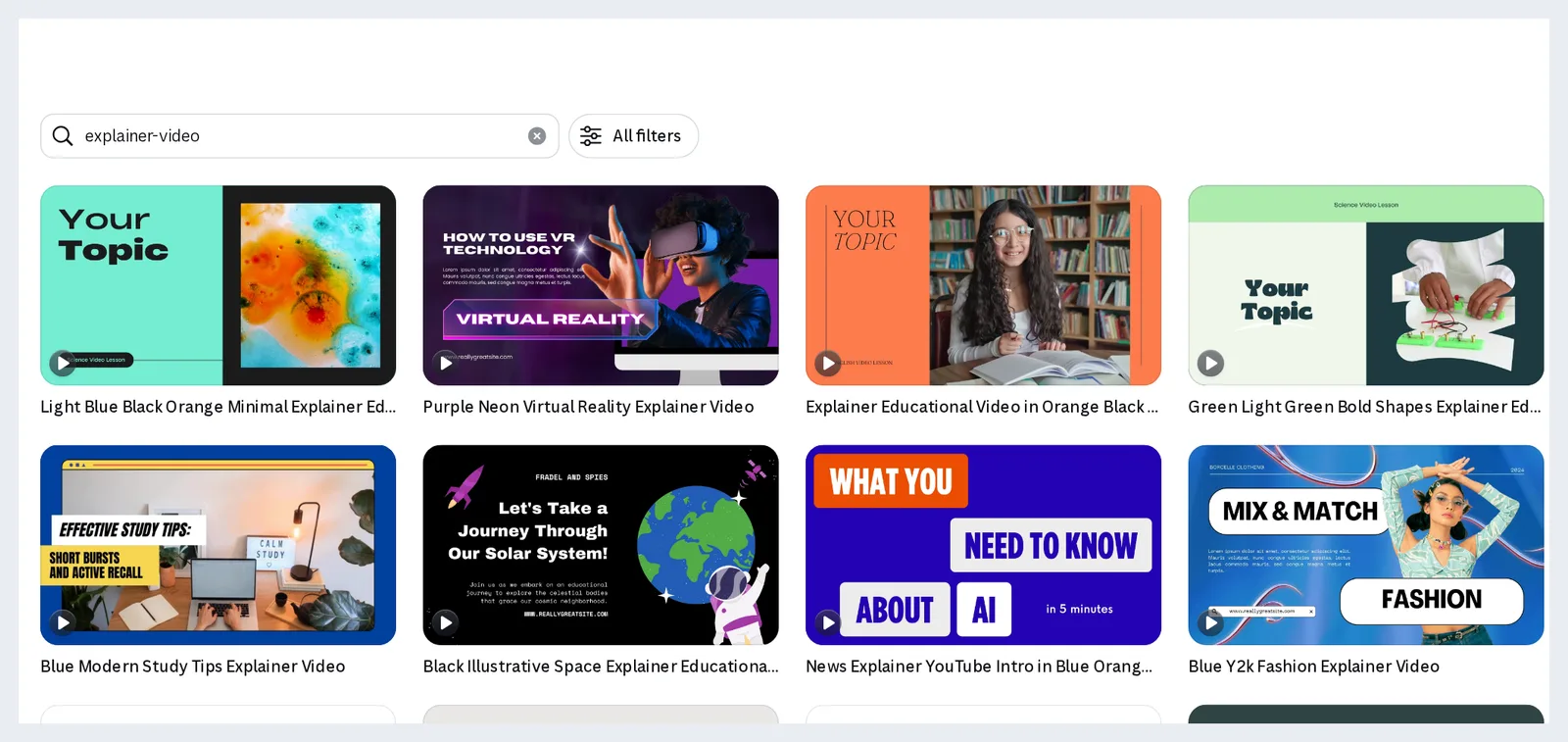
Canva fits the team that already builds decks, one-pagers and social posts there. Brand colors, fonts and logos are already loaded, and the video editor uses the same drag-and-drop logic as the design editor, so onboarding is measured in minutes.
Use it for short, caption-led explainers: a feature announcement, a how-to for a help center, a 45-second recap for LinkedIn. Stock footage, text animation and music sit in the same library you already browse, which removes the asset-hunting step that stalls most first drafts.
The ceiling arrives fast. Complex narration, branching scenarios or a consistent character across twelve videos are not what a design editor is built for, and long timelines become fiddly. Check Canva’s own plan page for current limits on exports, brand kits and seats, since those are not covered by the sources listed under this article.
Fits you if: your marketing already lives in Canva and your explainers run under a minute or two.
Skip it if: you need a presenter, multilingual dubbing or a 20-minute training module.
6. Camtasia
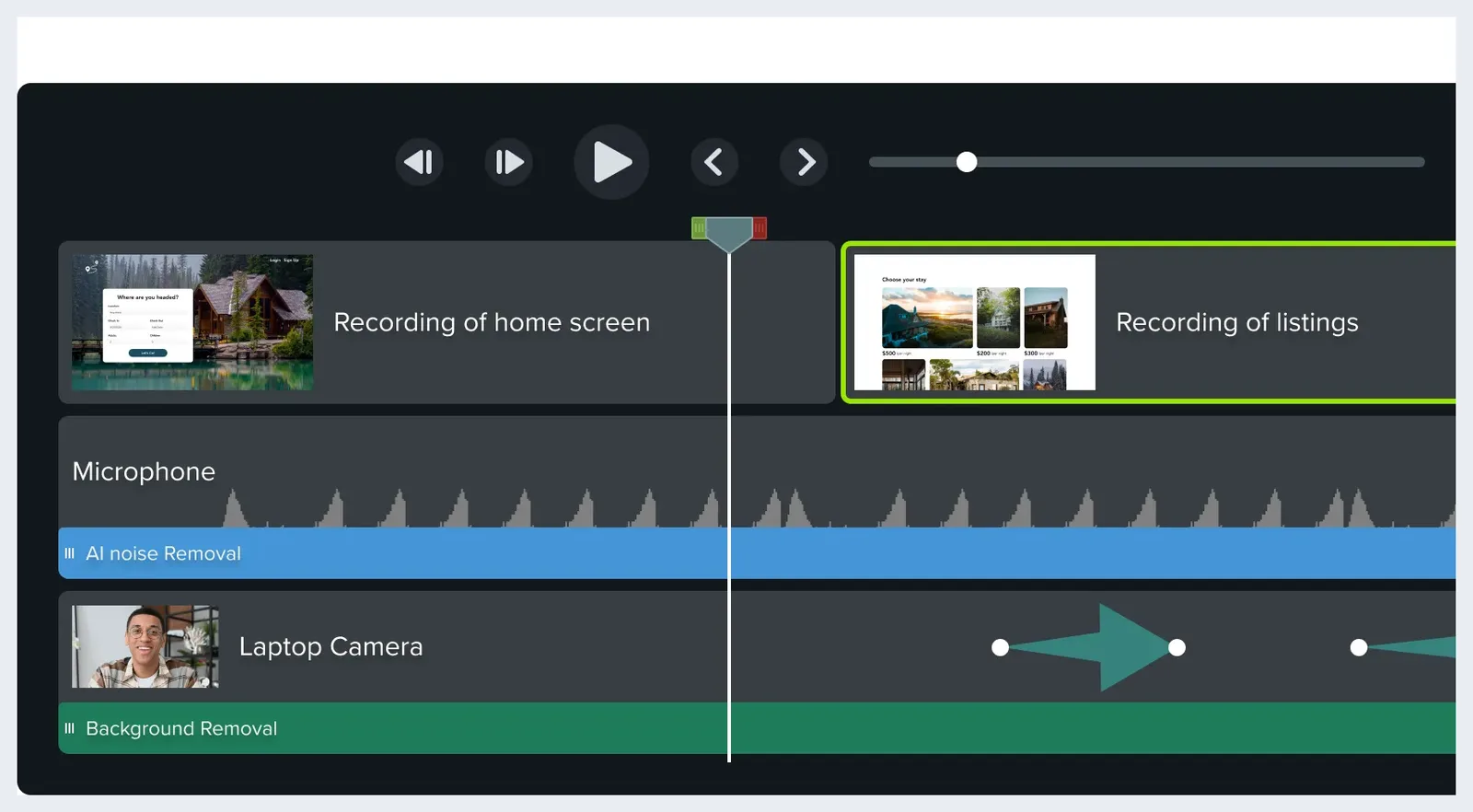
Camtasia sits in a different category that solves the same problem for software companies: record the product, trim, annotate, export. For a SaaS onboarding video, a screen recording of the real interface beats an illustrated abstraction of it, because the viewer is about to see that exact screen.
The workflow suits a product manager or support lead more than a designer. You record a clean run of the task, cut the dead air, add callouts and a voiceover, and publish. No character library to learn, no avatar to choose.
The trade-off is that your video ages with your UI. Rebranding a button means re-recording the segment, and localized versions mean recording again or layering subtitles. Pricing and feature details change, so check the vendor’s own plan page rather than trusting a roundup.
Fits you if: your explainer is a product walkthrough and the product is the star.
Skip it if: you are explaining a concept rather than an interface — there is nothing to record yet.
Which one fits you
Business adoption of video keeps climbing, with Wyzowl reporting 91% of businesses using video as a marketing tool in 2026, up from 89% in 2025, according to the Wix Blog’s video marketing statistics report. Rising adoption means your explainer competes with more explainers, so pick the tool that lets you publish a second and third one.
| If this is your situation | Then start with |
|---|---|
| Script-led videos, several languages, growing library | AI Studios |
| First avatar test, no budget approved yet | Synthesia’s free Basic plan |
| Animated scenes, a few videos a month | Powtoon |
| Compliance scenarios with characters acting | Vyond |
| Short social explainers, brand kit already in Canva | Canva |
| Walkthrough of a real interface | Camtasia |
One practical rule before you buy: write the script first and keep the first one under about 150 words, then see which tool renders it fastest. Scripts expose tool mismatches that feature lists hide.
Sales-cycle content adds another variable, since the video a prospect sees at demo stage differs from the one at renewal — how B2B explainers map to each sales stage covers that sequencing. Buy for the next six videos, not the first one.
Frequently asked questions
Which explainer video software works with no animation skill at all?
Script-driven tools remove the animation step entirely. With AI Studios you write a script and render a presenter; its Free plan allows up to 3 AI videos of up to 1 minute each in 720p, according to its pricing page. Powtoon and Canva ask for template editing, not drawing.
Can I make a usable explainer video for free?
Yes, with visible limits. Powtoon’s free plan caps videos at 3 minutes, exports at 720p and adds a watermark, according to Powtoon’s pricing page, while Synthesia’s free Basic plan gives $0 per month with 500 credits and a 10-minute allowance of video creation or dubbing. Both work for testing, not for a public launch.
Why does Vyond cost more than older reviews say?
Vyond changed its plan prices on May 7, 2025, and the increase applies to all new Starter (formerly Premium), Professional and Enterprise subscriptions bought on or after that date, according to the Vyond Help Center. The same article states the entry-level Essential plan is closed to new customers as of that date.
How long can an explainer video be in these tools?
Plan tier decides it. Powtoon’s maximum length is 30 minutes on Advanced and 20 minutes on Professional, both in Full HD 1080p, according to Powtoon support, while AI Studios’ Personal plan at $24 per month billed annually allows unlimited videos up to 30 minutes each, per its pricing page.
Should I compare monthly prices or cost per finished minute?
Cost per finished minute, because credit plans and unlimited plans invert as volume grows. Synthesia’s Starter plan is $29 per month billed monthly with 1,250 credits worth roughly 12 minutes, according to Synthesia’s pricing page, so dividing those published figures gives just under $2.50 per minute at full use.
Sources
- Pricing Update FAQ — Vyond Help Center
- Powtoon plans & pricing
- How long can a Powtoon be? Maximum length by plan — Powtoon Support
- Synthesia Pricing — Compare Free and Paid Plans
- 45 Video Marketing Statistics for 2025 [New Data] — HubSpot
- Video marketing statistics: the ultimate video marketing stats report — Wix Blog
Written with AI assistance and fact-checked against the sources cited above before the AI Video Generator Editorial Team published it.