Yes. Grok generates video through Grok Imagine, which turns text prompts or reference stills into short clips — xAI’s docs list 480p, 720p and 1080p output from $0.02 per second, versus the longer timelines and editing layers of dedicated platforms.

What Grok AI Video Generation Actually Is: Meet Grok Imagine
Definition: Grok Imagine is xAI’s generation feature inside Grok that turns a text prompt or still reference images into a short, synthetic video clip rather than editing footage you already shot.
Grok began life as a text assistant that answers questions and drafts copy. Imagine is the visual half of the same product family, reachable in the Grok mobile apps, on X, and through the xAI API for developers. That split is the first thing to get straight, because the chat window and the video generator are priced and limited differently.
Treat it as a shot generator, not a studio. You describe a moment — a ceramic mug steaming on a windowsill, a sneaker rotating against a gray cyclorama, an animated fox lacing its boots — and a few seconds of footage comes back.
Grok Imagine vs. an AI video editor
People confuse generation with editing constantly, and it costs them a day of work. An AI video editor takes footage you supply and cuts, captions, resizes or dubs it; Grok Imagine invents the footage from nothing. Grok hands you a clip file, not a project you can reopen, re-time and export in three aspect ratios.
Yes, Grok Generates Video — Here’s Exactly What It Produces
Grok produces short generated clips in four documented modes, and knowing which one you need saves you from fighting the prompt box.
- Text-to-video — a written prompt becomes a clip with a described subject, camera move and setting.
- Image-to-video — a single still becomes a moving shot, useful for product photography you already own.
- Reference-to-video — several images anchor a character, style or location across generations.
- Extension — an existing clip gets additional seconds grafted onto its end.
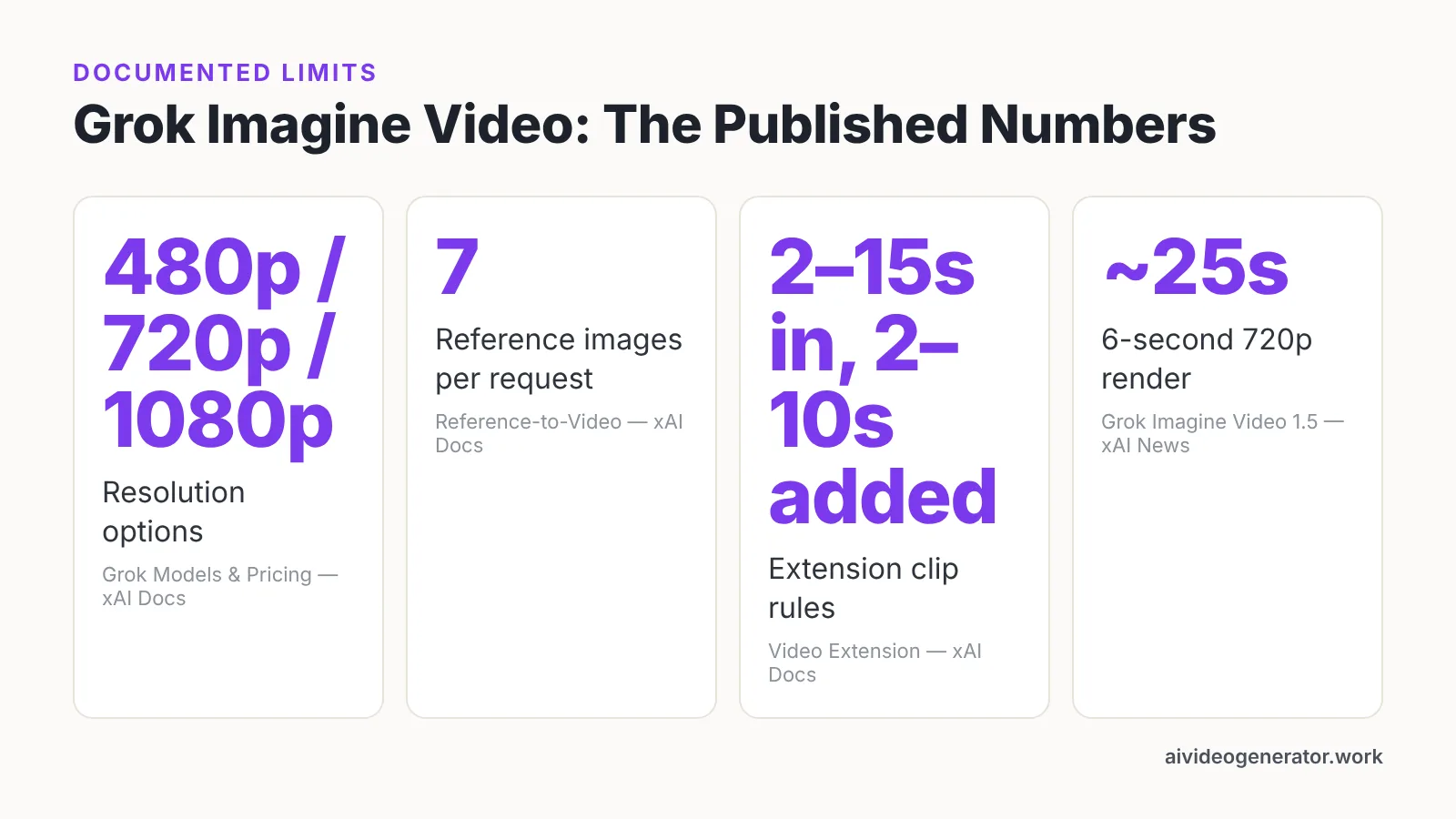
xAI says Grok Imagine Video 1.5 Fast produces a 6-second 720p video in about 25 seconds, compared with 40+ seconds for its previous model. Speed like that changes how you work. You stop writing one perfect prompt and start generating six variations, then picking the one whose lighting and pacing actually match your brief.
What you receive is a single continuous shot. There is no multi-scene sequence, no title card, no lower third, and no editable layer stack — assembling those remains your job in whatever editor you already use.
How Grok Makes a Video in Three Stages: Input, Generation Job, Output
Stage 1 — Input
You supply the prompt and any images, then set the knobs. According to xAI’s video generation documentation, the procedure is a single API call that sets prompt, duration, aspect ratio and resolution, with native 1080p available on grok-imagine-video-1.5. Describe subject, action, camera behavior and lighting in that order; vague prompts return vague footage.
Stage 2 — Generation job
The request becomes a job on xAI’s servers. Nothing renders on your laptop, so a phone on café Wi-Fi works as well as a workstation. Longer durations and higher resolutions take more wall-clock time, which is why many teams draft at a lower resolution and only regenerate the keeper at 1080p.
Stage 3 — Output
A finished clip comes back as a downloadable video file. From there you treat it like any other asset: drop it on a timeline, add your captions and logo, trim the first few frames where motion often settles, and export per platform. Save the exact prompt alongside the file — reproducing a look six weeks later is nearly impossible from memory.
Specs and Limits: Resolution, Clip Length, Reference Images and Extensions
The limits are published, and they shape what you can plan for.
| Spec | What xAI documents |
|---|---|
| Resolution options | 480p, 720p and 1080p |
| Reference images | Up to 7 per request |
| Extension input clip | 2 to 15 seconds |
| Extension added length | 2 to 10 seconds, default 6 |
| Fast-model speed | 6-second 720p clip in ~25 seconds |
According to xAI’s reference-to-video documentation, Grok accepts a maximum of seven reference images per request to keep characters, styles or settings consistent. Pick those seven deliberately: a face from two angles, the product in its real packaging color, and the room you want repeated.
xAI’s video extension documentation states that the feature requires an input clip of 2 to 15 seconds and adds an extension of 2 to 10 seconds, defaulting to 6 seconds. Chained extensions are how you stretch a shot past its native length, though drift creeps in with each pass — color shifts, faces soften, hands misbehave.
What It Costs: Grok Subscriptions vs Per-Second API Pricing
There are two doors, and they bill differently. Consumer access runs through Grok subscription tiers in the apps and on X, where your allowance is a quota of generations rather than a line-item charge. Developer access runs through the xAI API, where you pay for what you render.
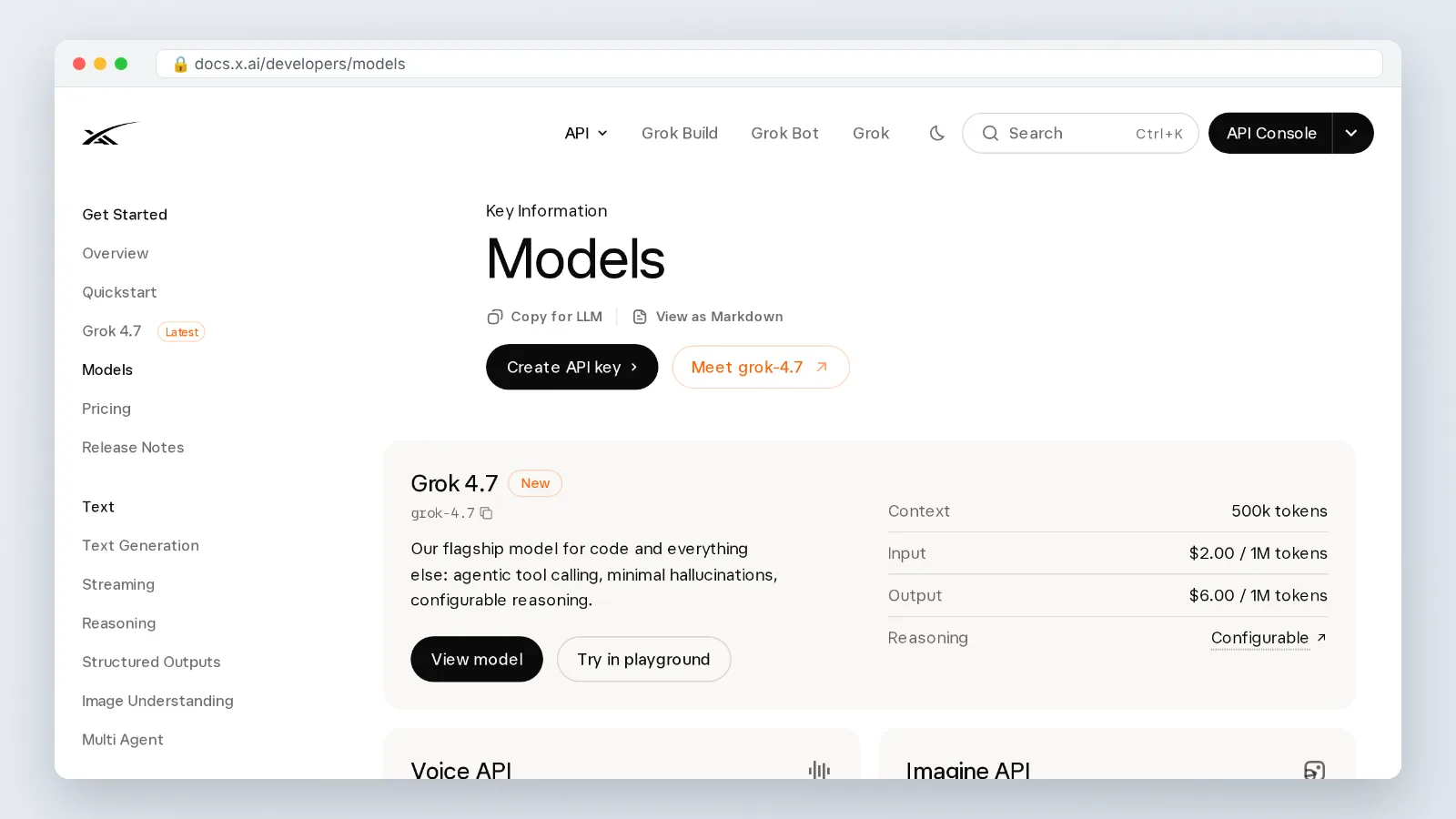
xAI’s public models page lists Imagine API video output at 480p, 720p and 1080p starting at $0.02 per second. Budget in seconds of output, not clips, because a storyboard of short takes adds up faster than people expect once you count the rejects.
A practical rule: assume you will discard several generations for every one you ship, and plan the budget around total rendered seconds including failures. Draft at a lower resolution while you are still hunting for the right composition. Reserve 1080p for the version that goes in the edit.
Grok Imagine vs Dedicated AI Video Tools (Sora, Veo, Runway)
Comparing on raw quality is a trap, since every vendor ships new model versions on its own schedule. Compare on the constraints your project actually hits.
| Criterion | Grok Imagine (per xAI docs) | Sora, Veo, Runway |
|---|---|---|
| Published resolutions | 480p, 720p, 1080p | Check each vendor’s current docs — specs change frequently |
| Reference images per request | Up to 7 | Varies; confirm before planning a character-consistent series |
| Clip extension rules | 2–15s input, 2–10s added, 6s default | Varies by product |
| Pricing model | Per-second API pricing starting at $0.02 | Compare per-second and per-credit models directly |
| Stated render speed | 6-second 720p in about 25 seconds (Video 1.5 Fast) | Not comparable without a controlled side-by-side test |
Grok’s advantage is proximity. If your team already pays for Grok and lives on X, generation sits inside a tool you open anyway, and the per-second API rate is published rather than buried in a credit conversion.
Dedicated platforms earn their keep on workflow depth — storyboarding, versioning, team review, export presets. Run your own side-by-side on a real brief before committing a campaign to either, because a demo reel proves nothing about your product category.
Practical Uses for Marketers, Educators and Small Businesses
Marketers get the most mileage from b-roll that is expensive to shoot and cheap to describe. Abstract texture for a background, a weather condition you cannot schedule, a city street you cannot fly to — generate it, then cut it behind your voiceover. Social teams also use quick variations to test which visual hook holds attention past the second second.
Educators can illustrate things a camera cannot reach. A cross-section of a volcano, a historical marketplace, a molecule drifting through a membrane: short generated clips break up slide fatigue without a production budget. Keep them under ten seconds and pair each with a spoken explanation, since the footage carries mood, not information.
Small businesses sit in the sweet spot for image-to-video. You already have product photos; turning one into a slow push-in gives your storefront video a studio feel. Reference-to-video helps when the same pastry, candle or jacket must appear across a week of posts — within the seven-image ceiling xAI documents.
Label generated footage honestly where your audience could mistake it for a real customer, a real location, or a real result. That is a trust decision, not a technical one.
When to Use Grok and When to Reach for a Dedicated Video Platform
Reach for Grok Imagine when:
- You need a concept shot or mood frame today, not a finished edit.
- Your clip lives under ten seconds and sits behind narration or music.
- You are exploring directions and want many cheap variations fast.
- Your team already uses Grok, and adding another subscription is not worth it.
Reach for a dedicated video platform when:
- The deliverable runs minutes, with scenes, transitions and captions.
- A client needs revisions, versioning and shared review links.
- Brand assets — exact logo placement, licensed fonts, locked color — must be controlled.
- Legal review requires traceable sources for every frame you publish.
The realistic setup is both. Generate your inserts in Grok, assemble and finish elsewhere, and keep a folder of prompts that worked so the look stays consistent across a quarter.
One caution worth repeating: specs and prices on this page reflect xAI’s published documentation as of October 2026, and generation models change faster than most tool stacks. Re-check the numbers before you build a budget on them.
Frequently asked questions
Does Grok AI generate videos, or only images?
It generates both. Grok Imagine supports text-to-video, image-to-video, reference-to-video and clip extension, and xAI’s models page lists Imagine API video output at 480p, 720p and 1080p starting at $0.02 per second.
How long can a Grok-generated video be?
Individual clips are short, and you lengthen them through extension. xAI’s video extension documentation requires an input clip of 2 to 15 seconds and adds 2 to 10 seconds, defaulting to 6 seconds, so longer sequences come from chaining or editing.
Can Grok keep the same character or product across several clips?
Partly. xAI’s reference-to-video documentation says Grok accepts a maximum of seven reference images per request to keep characters, styles or settings consistent, so choose varied angles and accurate colors — expect some drift across separate generations.
How fast does Grok render a video?
xAI says Grok Imagine Video 1.5 Fast produces a 6-second 720p video in about 25 seconds, compared with 40+ seconds for its previous model, which makes generating several prompt variations in one sitting practical.
Is Grok Imagine enough to replace a dedicated AI video platform?
Not for full deliverables. Grok returns single continuous clips with no timeline, captions, versioning or brand controls, so most teams generate inserts in Grok and assemble the finished video in an editor or dedicated platform.
Sources
Written with AI assistance and fact-checked against the sources cited above before the AI Video Generator Editorial Team published it.